
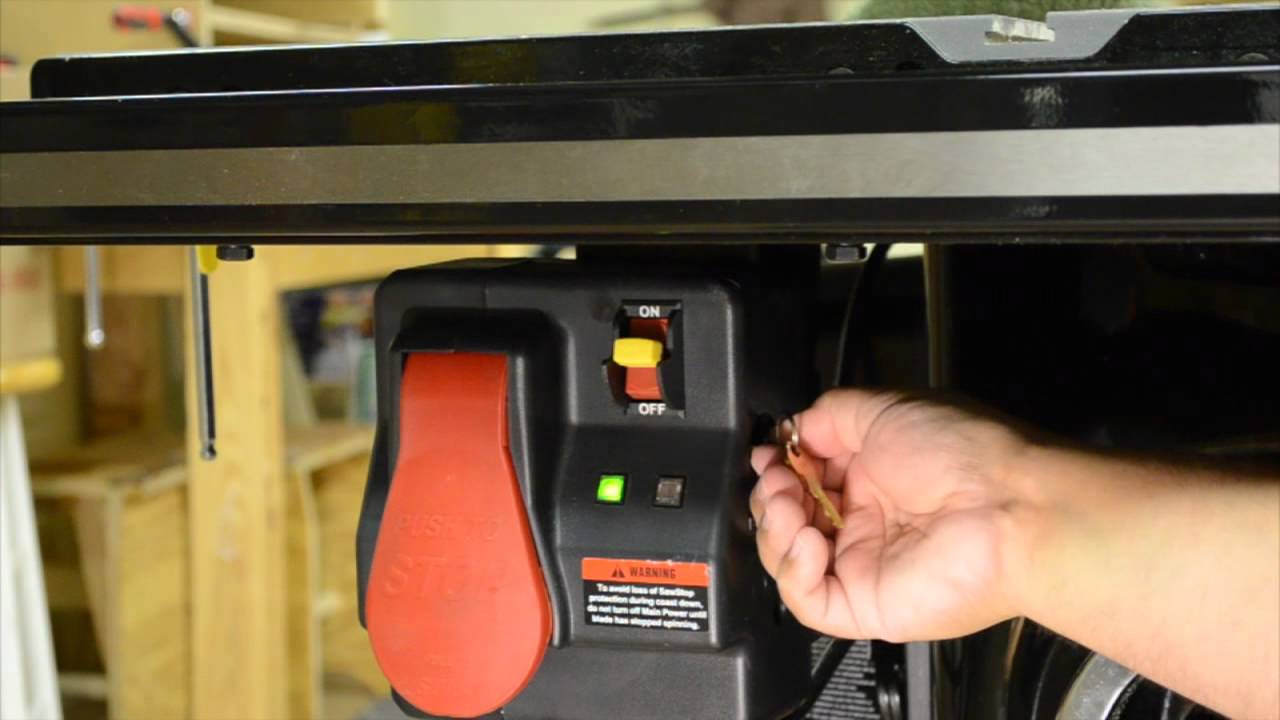
Image Source: i.ytimg.com
How To Bypass SawStop Safely and Legally Explained
Can you bypass SawStop safely and legally? The direct answer is that while the manufacturer explicitly advises against any form of SawStop safety bypass, understanding the system’s design can inform users about potential workarounds, with the caveat that such actions carry significant risks and may invalidate warranties. This article aims to provide a comprehensive, in-depth look at how users might encounter situations where they consider bypassing SawStop features, the implications of doing so, and what alternatives exist. It’s crucial to emphasize that modifying or disabling safety mechanisms on any power tool is inherently dangerous and should only be considered with a full appreciation of the risks involved.
SawStop is renowned for its groundbreaking flesh-detection technology, designed to stop a spinning blade in milliseconds upon contact with skin. This innovative feature has saved countless fingers and hands from severe injury. However, some users may explore ways to circumvent these safety protocols for various reasons, ranging from perceived inconveniences to specific woodworking tasks. This exploration must be grounded in a thorough understanding of what SawStop safety features workaround entails and the potential consequences.
Deciphering SawStop’s Core Safety Mechanism
At its heart, the SawStop system relies on a sophisticated electronic circuit that monitors the conductivity of the blade. When the blade contacts flesh – which is more conductive than wood – the system registers an anomaly. This triggers a rapid release of a spring-loaded brake cartridge, instantly stopping the blade. This process is incredibly fast, happening in as little as five milliseconds.
How it works:
- Conductivity Monitoring: The system constantly measures the electrical conductivity between the blade and the motor, which is essentially grounded.
- Flesh Detection: When the blade touches flesh, the conductivity changes dramatically.
- Brake Activation: This change triggers a signal to release a brake cartridge.
- Brake Cartridge: The cartridge contains a spring-loaded mechanism with a dense braking material that slams into the spinning blade, stopping it.
Reasons for Considering a SawStop Safety Bypass
While SawStop’s safety features are its primary selling point, users might consider workarounds due to:
- Specific Material Types: Certain conductive materials, like very wet wood or materials with metallic inclusions, can occasionally trigger the brake erratically.
- Perceived Inconvenience: Some users might find the system overly sensitive or disruptive to their workflow.
- Troubleshooting: In rare instances, users might believe a SawStop flesh detection override is necessary to diagnose other potential issues with the saw.
- Creative Projects: For highly specialized or experimental woodworking projects, users might feel the safety mechanism hinders their artistic intent.
It is vital to reiterate that these are the reasons users might consider such actions, not endorsements of them. The inherent danger of disabling a safety feature designed to prevent grievous injury cannot be overstated.
Exploring Potential Workarounds: What Users Might Attempt
When individuals consider how to bypass SawStop, they are typically looking at ways to temporarily or permanently disable the flesh detection and braking system. It’s important to distinguish between legitimate troubleshooting and deliberate circumvention.
1. SawStop Cartridge Disable: The Most Direct Approach
The most direct way to incapacitate the SawStop braking system is by disabling or removing the brake cartridge. The cartridge is the physical component responsible for stopping the blade.
- Removal: Users could theoretically remove the brake cartridge entirely. However, the SawStop saw is designed to prevent operation without a properly installed and functional cartridge. The saw’s electronics will typically detect the absence of the cartridge and will not allow the motor to start.
- Tampering with the Cartridge: Attempting to modify the internal components of the brake cartridge itself is extremely ill-advised. The cartridge is a precisely engineered safety device, and any alteration could lead to unpredictable and dangerous failures, either by preventing it from working when needed or by causing it to engage unexpectedly.
2. SawStop Flesh Detection Override: Altering Sensitivity
SawStop offers a sensitivity adjustment feature that allows users to fine-tune how readily the system responds to potential contact. This is the intended way to manage sensitivity for different materials.
- Sensitivity Settings: The saw typically has settings for different types of wood (e.g., standard, dense, wet). Users can adjust these settings to reduce the likelihood of false activations. This is not a true bypass but a method of optimizing the system for specific conditions.
- Advanced Adjustments (Not Recommended): Some users might investigate if there are deeper, undocumented adjustments that could effectively create a SawStop flesh detection override. However, accessing or modifying these would likely be outside the scope of normal operation and could void warranties.
3. SawStop Anti-Kickback Bypass: A Related Concern
Kickback is a dangerous phenomenon where the wood is violently thrown back towards the operator. While SawStop’s primary function is flesh detection, its robust design and blade containment can indirectly contribute to managing kickback compared to older saw designs. However, there isn’t a direct “SawStop anti-kickback bypass” in the sense of disabling a kickback-specific feature. The system is designed to stop the blade rapidly, which can also mitigate the severity of kickback if it occurs. Attempts to bypass the braking system would, in essence, also bypass any indirect kickback mitigation that the rapid braking provides.
4. SawStop Safety Switch Defeat: Interfering with Power
Another area users might explore is how to bypass the SawStop safety switch. The safety switch typically prevents the saw from being turned on inadvertently.
- Bypassing the Power Switch: Theoretically, one could attempt to wire around the main power switch or safety interlocks. This is highly dangerous, as it removes a fundamental layer of protection. It could lead to the saw starting unexpectedly or make it impossible to shut down safely in an emergency.
- SawStop Power Interrupt: The system is designed so that a power interrupt or surge can cause the brake to engage, which is a failsafe. Trying to bypass the normal power interrupt mechanisms would be counterproductive to safety.
5. Disabling SawStop Brake: The Ultimate Removal of Protection
To disable the SawStop brake completely means rendering the flesh detection system inoperable. As mentioned, the saw is engineered to prevent operation if the brake cartridge is not present or functional.
- Mechanical Obstruction: Some users might consider physically blocking the brake mechanism. This is extremely risky, as any obstruction could lead to catastrophic failure of the braking system or the blade itself.
- Electrical Manipulation: Interfereing with the wiring that activates the brake is another theoretical, but highly dangerous, avenue. This would require advanced electrical knowledge and would almost certainly void the warranty and create an unsafe operating environment.
6. SawStop Dust Collection Bypass: A Separate Safety Consideration
While not directly related to flesh detection, some users might consider a SawStop dust collection bypass if they find the dust collection system to be inefficient or cumbersome for certain tasks. However, effective dust collection is a crucial aspect of workshop safety, as airborne wood dust can pose respiratory health risks. Bypassing this system for convenience is not advisable.
Legal and Warranty Implications
It is critical to address the legal and warranty aspects of any attempt to bypass SawStop safety features.
- Warranty Voidance: Any modification or tampering with the SawStop safety system will almost certainly void the manufacturer’s warranty. SawStop, like all responsible power tool manufacturers, explicitly states that unauthorized modifications will nullify their product guarantees.
- Legal Liability: If an accident occurs due to a bypassed safety feature, the operator assumes full legal responsibility. In a professional setting, this could have severe consequences, including legal action, fines, and increased insurance premiums. Furthermore, operating machinery with deliberately disabled safety features could be considered gross negligence.
- Manufacturer’s Stance: SawStop’s entire business model and reputation are built on safety. They do not endorse or support any methods for bypassing their safety systems. Their documentation and support will always guide users toward proper operation and maintenance of the safety features.
Alternative SawStop Safety Solutions and Best Practices
Instead of attempting to bypass the system, users should focus on alternative SawStop safety solutions and best practices to ensure safe and efficient operation.
1. Mastering Sensitivity Settings
The primary and safest method to manage the SawStop system is by utilizing its built-in sensitivity adjustments.
- Consult the Manual: Always refer to your SawStop manual for specific instructions on adjusting sensitivity settings.
- Test with Different Materials: If you’re experiencing false activations, perform test cuts with scrap pieces of the material you intend to use. Adjust the sensitivity incrementally until you find a setting that works reliably without compromising safety.
- Common Triggers and Solutions:
- Wet Wood: Use a higher sensitivity setting if working with very wet lumber.
- Conductive Materials: Be mindful when cutting materials that might be unusually conductive.
- Carbon Fiber: This composite material can sometimes trigger the system due to its conductive properties. SawStop offers specific cartridges and advice for cutting carbon fiber.
2. Proper Blade Selection and Maintenance
The type and condition of your saw blade can also influence how the SawStop system performs.
- Blade Material: Generally, standard steel blades are less likely to cause issues than some exotic materials. However, SawStop engineers their system to work with most common blade types.
- Blade Condition: Ensure your blades are sharp and free of excessive pitch or resin buildup. Dirty or dull blades can sometimes lead to less predictable cutting behavior, which might indirectly affect how the saw operates.
- Blade Type Compatibility: While SawStop is designed to be compatible with most standard dado blades and general-purpose blades, always check for specific recommendations from SawStop if using non-standard or specialty blades.
3. Enhanced Safety Practices
Beyond the SawStop system itself, adopting fundamental woodworking safety practices is paramount.
- Appropriate Personal Protective Equipment (PPE): Always wear safety glasses, hearing protection, and a dust mask.
- Blade Guard Usage: Keep the blade guard in place whenever possible. It adds an additional layer of protection and aids in dust collection.
- Push Sticks and Blocks: Use push sticks and push blocks to guide wood through the blade, especially for narrow or small pieces. This keeps your hands further from the blade.
- Maintain a Clean Workspace: A clean and organized workshop reduces trip hazards and ensures you can move safely around the saw.
- Understand Kickback: Learn what causes kickback and how to prevent it. Proper feeding of wood, avoiding binding, and using a blade that is perpendicular to the table are crucial.
- Never Reach Over the Blade: Always maintain a safe distance from the spinning blade.
4. SawStop Troubleshooting Guides
If you believe there’s a genuine issue with your SawStop system, consult the manufacturer’s official troubleshooting guides or contact their customer support. They are the best resource for diagnosing and resolving problems without resorting to unsafe modifications.
What If the SawStop Brake Engages Accidentally?
Accidental activation of the SawStop brake is an experience many users will have at some point. It’s a testament to the system’s effectiveness.
- Immediate Action: When the brake engages, the blade will stop abruptly.
- Blade Cartridge Replacement: The activated brake cartridge is a single-use safety device. Once it has engaged, it must be replaced. SawStop sells replacement cartridges, and they are designed for easy user replacement.
- Troubleshooting the Cause: After replacing the cartridge, you will need to identify why it engaged. Review the sensitivity settings and the material you were cutting. If you can’t identify a clear cause, consult the SawStop manual or support.
Addressing Specific SawStop Safety Workarounds in Detail
Let’s delve deeper into some specific user queries and concerns that might lead to thoughts of bypassing:
SawStop Safety Switch Defeat Explained
The primary safety switch on a SawStop is usually a lock-out switch that prevents the saw from being powered on without authorized access. Defeating this switch would involve bypassing its electrical circuit. This could mean physically removing the switch, wiring around it, or even jamming it in the “on” position.
- Consequences:
- Unintended Startup: The saw could start unexpectedly if bumped or if someone unfamiliar with the modification turns on the power source.
- Loss of Control: You lose the ability to quickly and safely shut down the saw in an emergency.
- Voided Warranty: This is a clear modification that will invalidate your warranty.
- Legal Repercussions: In a workplace, this would be a serious safety violation.
SawStop Cartridge Disable Explained
Disabling the SawStop cartridge means preventing it from performing its function. As previously noted, the saw is designed to prevent operation if the cartridge is not properly seated and functional.
- Attempting to “Disable” the Cartridge Electronically: This would involve interfering with the sensors or wiring that detect the cartridge’s status and its readiness to deploy. This is highly complex and dangerous.
- Physically Interfering with the Cartridge Mechanism: Trying to jam the firing pin or the spring mechanism within the cartridge would render it useless, both for its intended function and potentially for safe removal.
SawStop Flesh Detection Override Explained
This refers to any attempt to prevent the system from recognizing the electrical signature of human flesh.
- High Sensitivity vs. Override: The built-in sensitivity adjustments are the only safe and intended method for managing how the system reacts to conductivity. An “override” implies circumventing this control.
- Material Conductivity: As mentioned, some materials are more conductive than wood. If you consistently cut materials that trigger the SawStop, the correct approach is to adjust the sensitivity or use a SawStop-approved specialty cartridge (e.g., for carbon fiber).
SawStop Anti-Kickback Bypass Explained
SawStop’s primary safety focus is flesh detection. However, the rapid stopping of the blade when kickback occurs can certainly reduce the energy of the thrown workpiece compared to a saw that continues to spin.
- Indirect Safety: There isn’t a direct “anti-kickback bypass” feature on SawStop because kickback is a separate phenomenon from flesh contact. However, if you were to bypass the brake, you would also lose the benefit of the rapid stopping that could help mitigate kickback.
- Focus on Kickback Prevention: The best approach to kickback is prevention through proper technique, sharp blades, and understanding the forces involved.
SawStop Safety Features Workaround Explained
This is a broad term encompassing any intentional action to negate or circumvent the safety mechanisms. It covers everything from disabling the brake to altering wiring or removing guards.
- The Danger: The fundamental risk is that these features are there to prevent life-altering injuries. Bypassing them is akin to removing the airbags from your car.
Disabling SawStop Brake Explained
This is the core of what most users mean by a “bypass.” It means preventing the brake cartridge from deploying and stopping the blade.
- SawStop’s Design: The saw is engineered with interlocking systems. The motor will not engage if the brake system is not detected as operational. Therefore, truly “disabling” the brake often means the saw won’t even start. Any attempt to force it to run would involve overriding these fundamental interlocks.
SawStop Dust Collection Bypass Explained
While not a direct safety feature related to the blade, the dust collection system is vital for a healthy working environment.
- Health Risks: Fine wood dust can cause respiratory problems, allergies, and in some cases, is carcinogenic.
- Fire Hazard: Fine wood dust can also be flammable.
- Efficient Bypassing: If the dust collection is perceived as inefficient, the solution is to improve the system (e.g., a better dust collector, cleaner hoses, tighter seals) rather than bypassing it.
SawStop Power Interrupt Explained
SawStop is designed to react to power fluctuations. A power interrupt can sometimes trigger the brake.
- Failsafe Mechanism: This is a safety feature. Trying to bypass this would involve ensuring the power supply is always perfectly stable, which is often not the case. Attempting to interfere with this could lead to the brake engaging unexpectedly or, worse, failing to engage when needed due to improper wiring.
Fostering a Culture of Safety
Ultimately, the goal of SawStop, and any responsible woodworker, is to foster a culture of safety. This means:
- Respecting Safety Features: Treat the SawStop system as an invaluable tool, not an impediment.
- Continuous Learning: Stay informed about best practices in woodworking and the nuances of your SawStop saw.
- Prioritizing Safety Over Speed: While efficiency is important, it should never come at the expense of safety.
- Open Communication: In a professional environment, encourage open discussion about safety procedures and concerns.
Frequently Asked Questions (FAQ)
Q1: Can I remove the SawStop brake cartridge to use my saw without it?
A1: No. The SawStop saw is designed to prevent operation if the brake cartridge is not properly installed and detected. Attempting to bypass this will likely prevent the saw from starting.
Q2: What should I do if my SawStop brake engages unexpectedly?
A2: The activated brake cartridge is a single-use safety device and must be replaced. Consult your SawStop manual for instructions on how to safely remove the old cartridge and install a new one. After replacement, investigate the cause of the accidental activation, often related to material conductivity or sensitivity settings.
Q3: Are there official SawStop ways to adjust sensitivity for different materials?
A3: Yes. SawStop provides built-in sensitivity adjustment settings on most of its models. Refer to your saw’s manual for specific instructions on how to adjust these settings for various wood types or other materials. This is the recommended and safe way to manage potential false activations.
Q4: Will modifying my SawStop void the warranty?
A4: Absolutely. Any unauthorized modification, tampering, or attempt to bypass the safety features will void the manufacturer’s warranty.
Q5: Is it legal to bypass safety features on power tools?
A5: While not explicitly illegal in all jurisdictions to own a tool with disabled safety features for personal use (though this can vary), it is highly illegal and dangerous to operate machinery with deliberately bypassed safety features, especially in a commercial or public setting. Doing so carries significant legal liability and insurance implications.
Q6: What are some common materials that might trigger the SawStop brake?
A6: The SawStop brake is designed to detect the electrical conductivity of human flesh. Materials that are highly conductive themselves, such as very wet wood, certain composites (like carbon fiber), or wood with embedded metallic objects, can occasionally trigger the system.
Q7: How can I best avoid kickback when using my SawStop?
A7: To avoid kickback, always use sharp blades, ensure the blade is properly aligned, feed wood smoothly and steadily, avoid cutting small pieces without push sticks, and never stand directly behind the blade path. While SawStop’s rapid braking can help mitigate kickback, prevention is the primary strategy.
Q8: Can I use a standard dado blade with my SawStop?
A8: SawStop is designed to work with most standard dado blade sets. However, always check the SawStop website or your specific model’s manual for any compatibility notes or recommendations regarding dado blades or specialty blades to ensure optimal performance and safety.