
Can you use a Ryobi miter saw for precise cuts? Yes, absolutely! A Ryobi miter saw is a fantastic tool for making accurate crosscuts, miters, and bevels in wood. This guide will walk you through everything you need to know to get started.
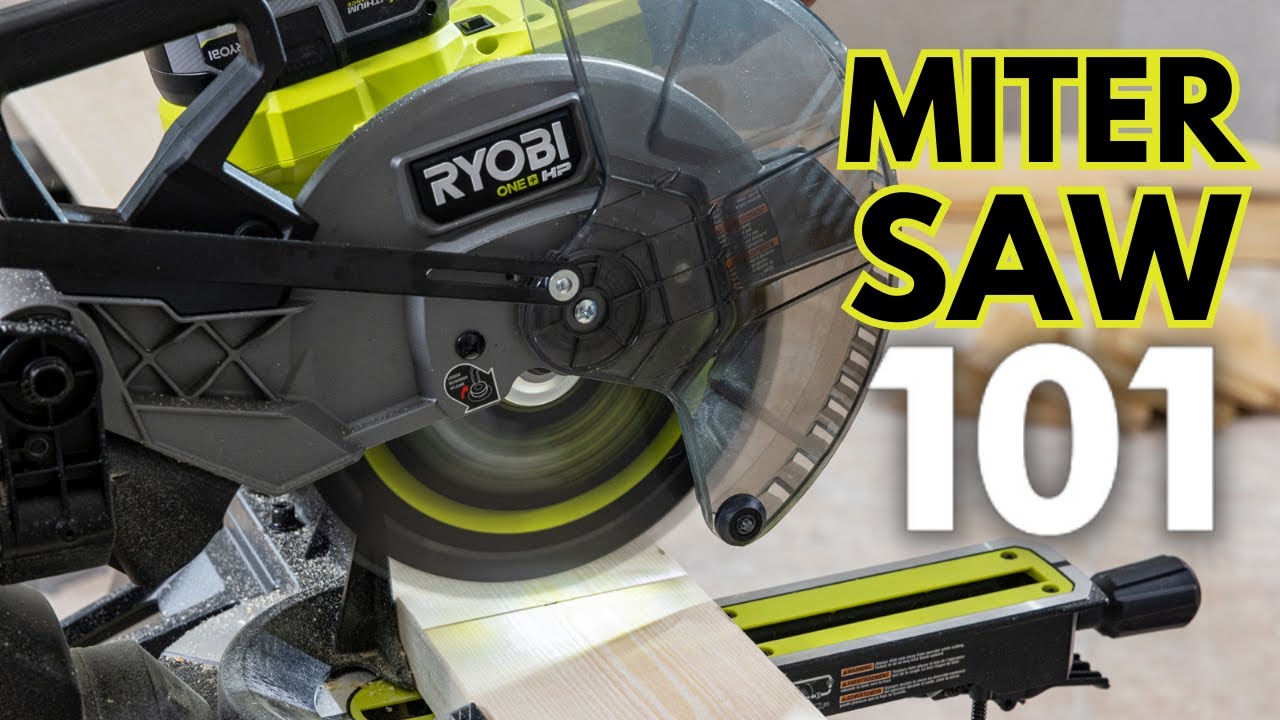
Image Source: i.ytimg.com
Getting Your Ryobi Miter Saw Ready: Setup and First Steps
Before you can make any cuts, proper Ryobi miter saw setup is crucial. This ensures both safety and accuracy.
Unboxing and Initial Inspection
When your Ryobi miter saw arrives, carefully unbox it. Check for any damage that might have occurred during shipping. Make sure all parts listed in the manual are present.
Powering Up Safely
- Location, Location, Location: Find a stable, flat surface for your miter saw. Ensure there’s enough space around it to handle long pieces of wood and to move freely.
- Power Source: Connect the saw to a grounded electrical outlet. Avoid using extension cords if possible, or if you must, use a heavy-duty cord that’s rated for the saw’s power requirements.
- Blade Guard: Always ensure the blade guard is in place and functioning correctly. It retracts automatically as you lower the blade and springs back to cover it when you raise it.
Attaching the Saw to a Stand (Optional but Recommended)
Many Ryobi miter saws are designed to work with specific stands. Using a stand offers several advantages:
- Ergonomics: It brings the saw to a comfortable working height, reducing strain.
- Portability: Stands often have wheels, making it easier to move the saw around your workshop or job site.
- Stability: A good stand provides a solid base, minimizing vibration.
Follow the manufacturer’s instructions for attaching your Ryobi miter saw to its compatible stand. Ensure all bolts are tightened securely.
Making Accurate Cuts: Ryobi Miter Saw Adjustments and Techniques
The real magic of a miter saw lies in its ability to make precise angle cuts. Learning the Ryobi miter saw adjustments is key to achieving this.
Understanding Miter and Bevel Angles
- Miter Angle: This is the horizontal angle of the cut. It’s measured from a 90-degree (straight) cut. You’ll typically adjust the turntable of the saw for miter cuts.
- Bevel Angle: This is the vertical angle of the cut. It’s achieved by tilting the blade assembly.
Setting Your Angles
Your Ryobi miter saw will have locking mechanisms for both miter and bevel angles.
-
Miter Adjustment:
- Locate the miter lock. This might be a knob or a lever.
- Release the lock.
- Rotate the turntable to the desired angle. Most saws have detents (preset stops) at common angles like 0, 15, 22.5, 30, and 45 degrees.
- Once the desired angle is set, re-tighten the lock firmly.
-
Bevel Adjustment:
- Find the bevel lock, usually a knob or lever at the front or side of the saw.
- Release the lock.
- Tilt the blade assembly to the desired angle. Again, look for detents.
- Secure the bevel lock tightly.
Tip: Always check your angle settings with a speed square or protractor after making adjustments to ensure accuracy.
How to Make Different Ryobi Miter Saw Cuts
Here’s how to perform common Ryobi miter saw cuts:
Crosscuts (90-Degree Cuts)
- Ensure both miter and bevel angles are set to 0 degrees.
- Place your workpiece against the fence.
- Hold the workpiece firmly against the saw’s base and the fence.
- Turn on the saw and allow the blade to reach full speed.
- Smoothly and steadily lower the blade through the wood.
- Once the cut is complete, raise the blade and turn off the saw.
Miter Cuts (Angled Crosscuts)
- Set the miter angle to your desired degree (e.g., 45 degrees for a corner joint).
- Place your workpiece against the fence.
- Hold it firmly.
- Lower the spinning blade through the wood.
- Raise the blade and turn off the saw.
Bevel Cuts (Angled Cuts on the Edge of the Wood)
- Set the bevel angle to your desired degree (e.g., 30 degrees). The miter angle should remain at 0 degrees for a simple bevel cut.
- Place your workpiece against the fence and base.
- Hold it firmly.
- Lower the spinning blade through the wood.
- Raise the blade and turn off the saw.
Compound Cuts (Miter and Bevel Together)
These are used for more complex joinery, like crown molding.
- Set both the miter and bevel angles to your desired positions. Consult a guide or calculator for specific angles needed for different types of molding.
- Place the workpiece against the fence and base, ensuring it’s oriented correctly for the molding profile.
- Hold firmly.
- Lower the spinning blade through the wood.
- Raise the blade and turn off the saw.
Table: Common Miter Saw Settings for Basic Projects
| Project Task | Miter Angle | Bevel Angle |
|---|---|---|
| Standard Crosscut | 0° | 0° |
| Picture Frame Corner | 45° | 0° |
| Simple Bevel Edge | 0° | 15° |
| Crown Molding (common) | 31.6° | 33.9° |
Note: Crown molding angles can vary depending on the molding profile and wall angle. Always confirm with specific project guides.
Choosing the Right Ryobi Miter Saw Blades
The type of Ryobi miter saw blades you use significantly impacts the quality of your cuts.
Tooth Count and Blade Type
- Higher Tooth Count (e.g., 60-80 teeth): These blades produce smoother cuts, ideal for fine woodworking, trim, and materials where a clean finish is paramount.
- Lower Tooth Count (e.g., 24-40 teeth): These blades cut faster and are better suited for rougher lumber, framing, and demolition. They can leave a slightly rougher edge.
- Specialty Blades: You can find blades designed for specific materials like aluminum or plastic.
Blade Diameter and Arbor Size
Ryobi miter saws come in various sizes, most commonly 7-1/4 inch, 10 inch, and 12 inch. Ensure you purchase blades that match your saw’s diameter. The arbor size (the hole in the center of the blade) must also match the saw’s spindle.
Blade Installation and Removal
Ryobi miter saw safety dictates that the saw must be unplugged before changing blades.
- Unplug the Saw: This is the most critical step.
- Lower the Blade: Lower the blade guard and the blade itself to access the arbor nut.
- Lock the Spindle: Most Ryobi saws have a spindle lock button. Press and hold this to prevent the arbor shaft from spinning.
- Remove the Arbor Nut: Use the wrench that came with your saw (or a socket of the correct size) to loosen and remove the arbor nut.
- Remove the Old Blade: Carefully lift off the old blade. Note the direction of the teeth.
- Install the New Blade: Place the new blade on the arbor, ensuring the teeth are facing the correct direction (usually pointing down on the front side of the blade as it spins).
- Tighten the Arbor Nut: Reinstall the arbor nut and tighten it securely using the wrench and spindle lock.
Caution: Never overtighten the arbor nut.
Ryobi Miter Saw Safety: Paramount Practices
Ryobi miter saw safety is non-negotiable. Even with the best tools, accidents can happen if safety precautions are ignored.
Personal Protective Equipment (PPE)
- Safety Glasses/Goggles: Always wear eye protection. Wood chips and dust can cause serious eye injury.
- Hearing Protection: Miter saws are loud. Earplugs or earmuffs are essential.
- Dust Mask/Respirator: Sawdust can be harmful to your lungs. A good dust mask is a must.
- Gloves: While not always recommended for holding the workpiece (as they can get caught), gloves can protect your hands when handling lumber or cleaning the saw.
Safe Operating Procedures
- Read the Manual: Familiarize yourself with your specific Ryobi model’s features and safety warnings.
- Keep Guards in Place: Never disable or remove the blade guard.
- Secure Your Workpiece: Always clamp down your material or hold it firmly against the fence and base. Do not attempt to cut freehand.
- Wait for Full Speed: Never lower the blade until it has reached its maximum RPM.
- Smooth, Steady Cuts: Don’t force the blade. Let the saw do the work.
- Clear the Area: Keep your work area clean and free of clutter. Ensure no flammable materials are nearby.
- Never Reach Under the Guard: When the saw is on or the blade is spinning, keep your hands and fingers well away from the blade path.
- Unplug When Not in Use or Making Adjustments: This is crucial for blade changes, cleaning, or if you need to step away.
- Watch for Kickback: Kickback occurs when the blade binds in the wood and violently throws the workpiece back towards the operator. Ensure your workpiece is firmly against the fence and base.
Ryobi Miter Saw Common Problems and How to Avoid Them
Even with careful use, you might encounter issues. Knowing about Ryobi miter saw common problems can save you time and frustration.
- Inaccurate Cuts:
- Cause: Loose fence, worn detents, improper angle setting, blade drift.
- Solution: Tighten fence, recalibrate detents, use a speed square to verify angles, ensure blade is properly seated.
- Burning Wood:
- Cause: Dull blade, forcing the cut, blade binding.
- Solution: Use a sharp blade, make smooth cuts, ensure the blade is straight.
- Blade Wobble:
- Cause: Bent blade, damaged arbor, improperly seated blade.
- Solution: Replace the blade, check the arbor for damage, ensure the blade is mounted correctly.
- Saw Dust Overload:
- Cause: Poor dust collection.
- Solution: Use a shop vac connected to the dust port, clear dust bin regularly.
Maintaining Your Ryobi Miter Saw for Longevity
Proper Ryobi miter saw maintenance ensures it performs reliably and safely for years to come.
Regular Cleaning
- After Each Use: Unplug the saw. Brush or vacuum away sawdust and debris from the blade, motor housing, base, and fence.
- Blade Cleaning: A dull or gummed-up blade won’t cut well. Use a blade cleaner solution and a brush to remove pitch and resin.
Blade Care
- Sharpening: When blades become dull (evidenced by burning wood or requiring excessive force), it’s time to sharpen them or replace them.
- Storage: Store blades properly to prevent damage.
Lubrication (If Applicable)
Refer to your Ryobi manual. Some moving parts might require occasional lubrication with a light oil or grease. Ensure you use the recommended type.
Checking Fasteners
Periodically inspect all bolts and screws to ensure they are tight. Loose fasteners can affect accuracy and safety.
Motor and Brush Inspection
Over time, motor brushes can wear out. If your saw starts losing power or the motor sounds unusual, check the brushes. Replacement is usually a straightforward process, but consult your manual.
Enhancing Your Ryobi Miter Saw Experience: Accessories
Ryobi miter saw accessories can significantly boost your saw’s functionality and ease of use.
Stands and Extension Wings
- Miter Saw Stands: As mentioned, these improve ergonomics and portability.
- Extension Wings/Supports: These provide additional support for long workpieces, preventing them from tipping during cuts.
Clamps
- Hold-Down Clamps: Essential for securing material to the saw’s base or fence, especially for smaller pieces or when making repetitive cuts.
Dust Collection Systems
- Shop Vacuums: Connecting a powerful shop vac to the saw’s dust port is crucial for a cleaner work environment and better visibility.
- Dust Bags: Some saws come with a basic dust bag, but a vacuum offers superior collection.
Measuring and Marking Tools
- Speed Squares: Vital for verifying angle settings.
- Tape Measures: For accurate length measurements.
- Pencils and Marking Knives: For precise cut lines.
Specialized Blades
- Different Tooth Counts: As discussed, having a variety of blades for different tasks.
- Material-Specific Blades: For cutting metal, plastic, etc.
Exploring Different Ryobi Miter Saw Types
Ryobi offers a range of Ryobi miter saw types to suit different needs and budgets.
Sliding vs. Non-Sliding Miter Saws
- Non-Sliding (Standard) Miter Saws: These are more compact and ideal for making crosscuts and miter cuts up to the maximum width capacity of the blade.
- Sliding Miter Saws: These have rails that allow the blade to slide forward and backward. This significantly increases the cutting capacity, allowing you to cut much wider boards at 90 degrees. They are excellent for framing and large projects.
Compound Miter Saws
Most Ryobi miter saws are compound, meaning they can perform both miter (horizontal) and bevel (vertical) cuts. This makes them versatile for trim work and joinery.
Single-Bevel vs. Double-Bevel Miter Saws
- Single-Bevel: The blade assembly can tilt in only one direction for bevel cuts.
- Double-Bevel: The blade assembly can tilt in both directions (left and right). This is highly convenient, as it allows you to make angled cuts in both directions without flipping the workpiece, saving time and reducing errors.
Learning Resources: Ryobi Miter Saw Tutorials
If you’re looking for visual guidance, there are plenty of resources available.
Online Video Tutorials
Platforms like YouTube host countless Ryobi miter saw tutorials. Search for your specific model or common tasks like “how to cut crown molding with a Ryobi miter saw” or “Ryobi miter saw setup guide.”
Manufacturer Resources
Check the official Ryobi website for product manuals, FAQs, and sometimes even video guides for their specific tools.
Project-Based Guides
Many woodworking websites and magazines offer guides for specific projects that detail how to use a miter saw for those tasks.
Frequently Asked Questions (FAQ)
Q1: What is the maximum thickness of wood a Ryobi miter saw can cut?
A1: The maximum cutting capacity varies significantly by model. Smaller 7-1/4 inch saws might handle around 2x4s or 2x6s, while larger 10 or 12 inch sliding miter saws can cut much larger lumber, often up to 6 or 7 inches thick at 90 degrees. Always check your specific model’s specifications.
Q2: Can I use a Ryobi miter saw to cut metal?
A2: Generally, no. Standard wood-cutting miter saw blades are not designed for metal and can be dangerous to use for this purpose. If you need to cut metal, you would typically use a chop saw with a specific abrasive metal-cutting blade or a metal-cutting saw designed for the job. Some specialized miter saws exist for metal, but they are distinct from wood miter saws.
Q3: How do I ensure my Ryobi miter saw is cutting accurately at 90 degrees?
A3: After setting your saw to 0 degrees for both miter and bevel, place a speed square against the fence and the side of the blade. The blade should sit flush against the square’s 90-degree edge. If it’s off, you may need to adjust the detent or stops according to your manual.
Q4: What is the best way to collect dust from my Ryobi miter saw?
A4: The most effective way is to connect a shop vacuum directly to the saw’s dust collection port. Ensure the vacuum has good suction and a fine dust filter. Regularly empty the vacuum’s collection bin or bag.
Q5: My Ryobi miter saw is making a loud grinding noise. What could be the problem?
A5: A grinding noise often indicates that the blade is dull, damaged, or not properly installed. It could also mean the motor bearings are failing. Unplug the saw immediately and inspect the blade. If the blade is fine, it might be time to have the saw serviced.
By following these guidelines, you’ll be well on your way to mastering your Ryobi miter saw and achieving precise, professional-looking cuts for all your projects. Happy cutting!